
Powerful when you need it.
Simple when you want it.
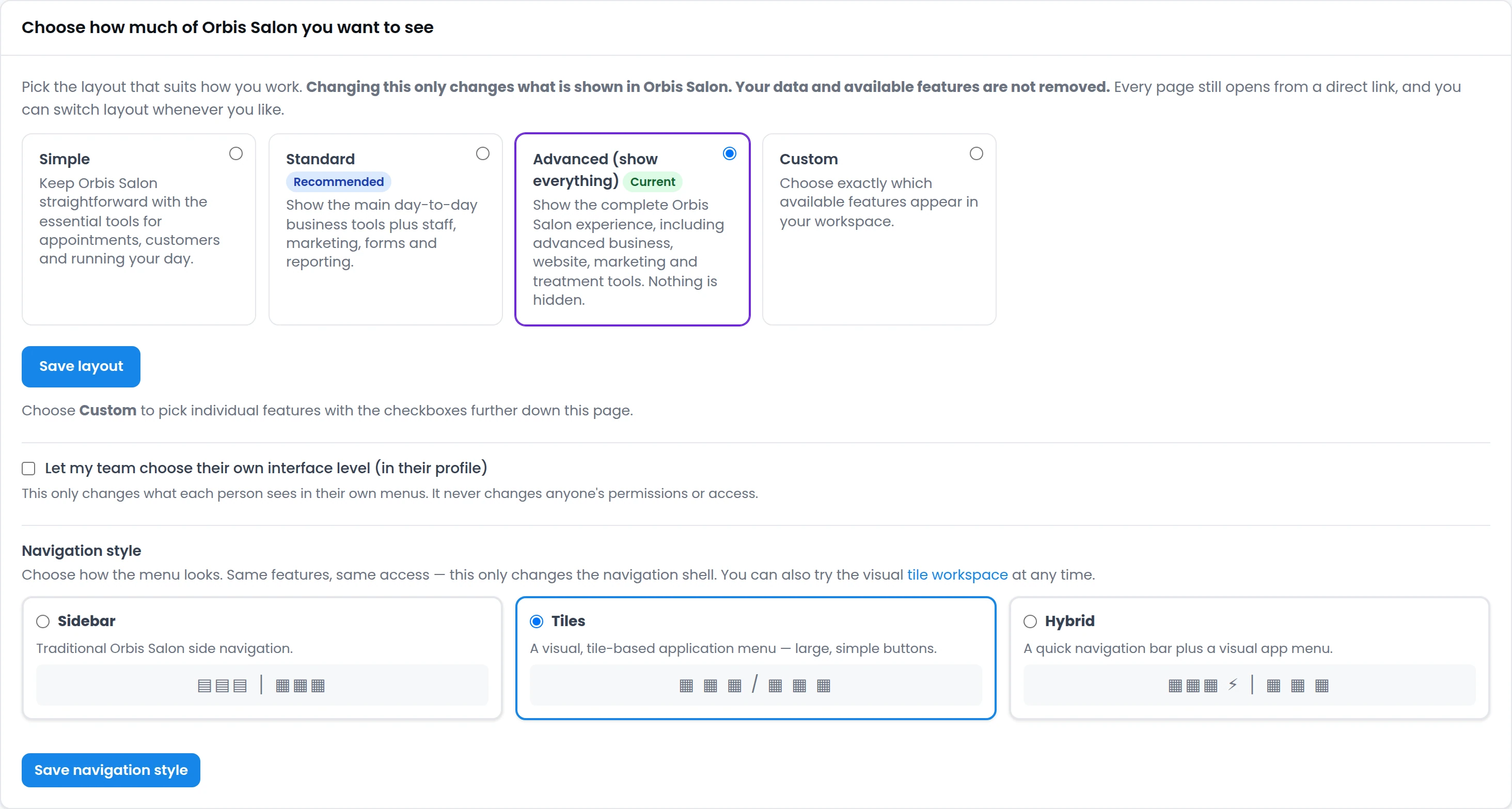
Orbis Salon can be as simple or as powerful as your business needs. Choose a clean visual Tile workspace, the traditional sidebar, or a hybrid layout — then decide how many features you want to see.
A powerful platform should still feel simple.
Orbis Salon includes tools for bookings, customers, staff, payments, websites, marketing, treatment records, Body Mapping, Local SEO and more. But that doesn't mean every business needs to see every feature every day.
Choose the level that suits you now — and change it whenever you want. Orbis Salon grows with your business.
You decide how much of Orbis Salon you see
Simple, Standard, Advanced or Custom — a workspace choice, not a subscription plan. Every business on every plan can use any level, and you can switch at any time.
Just the essentials
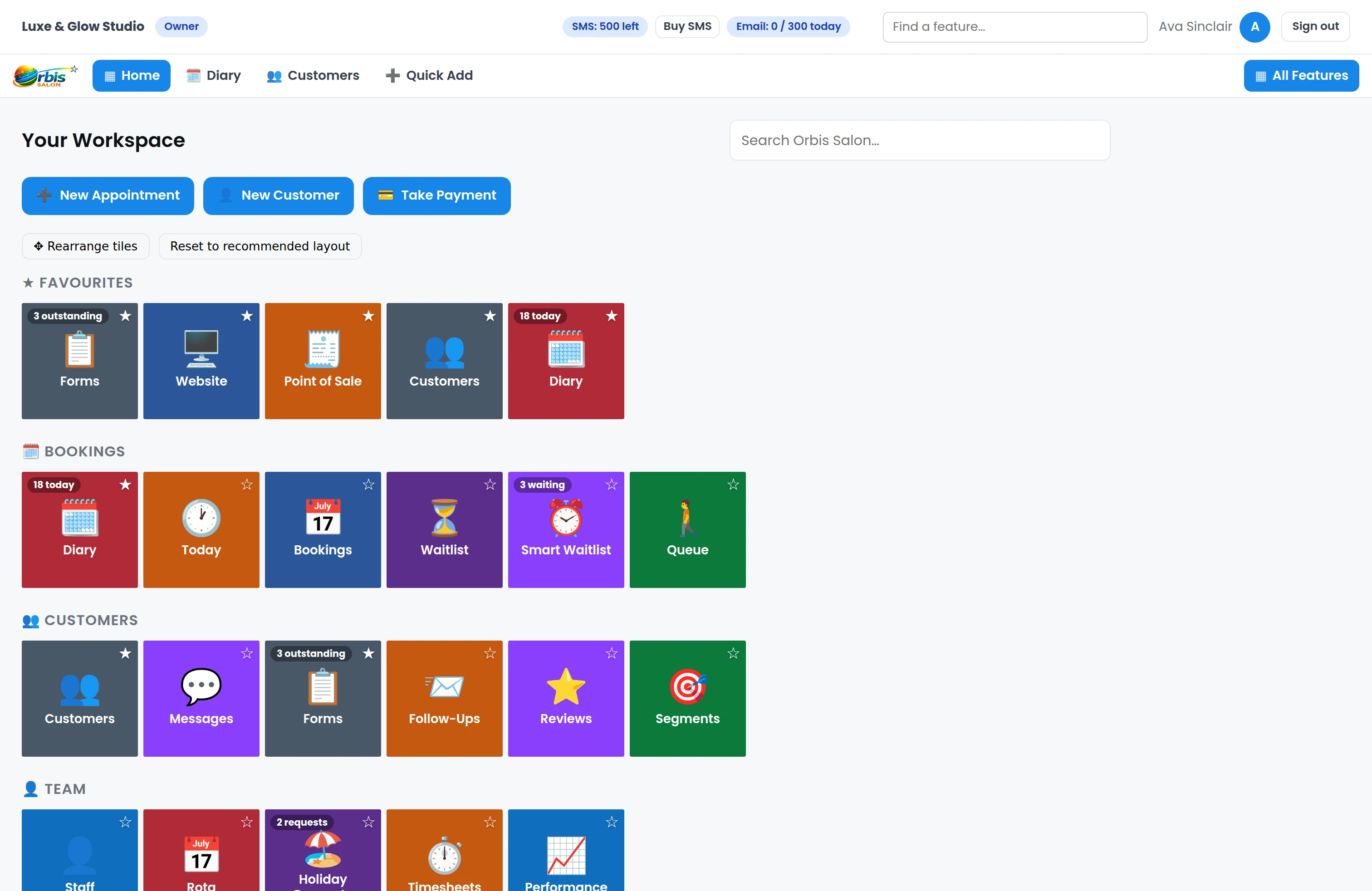
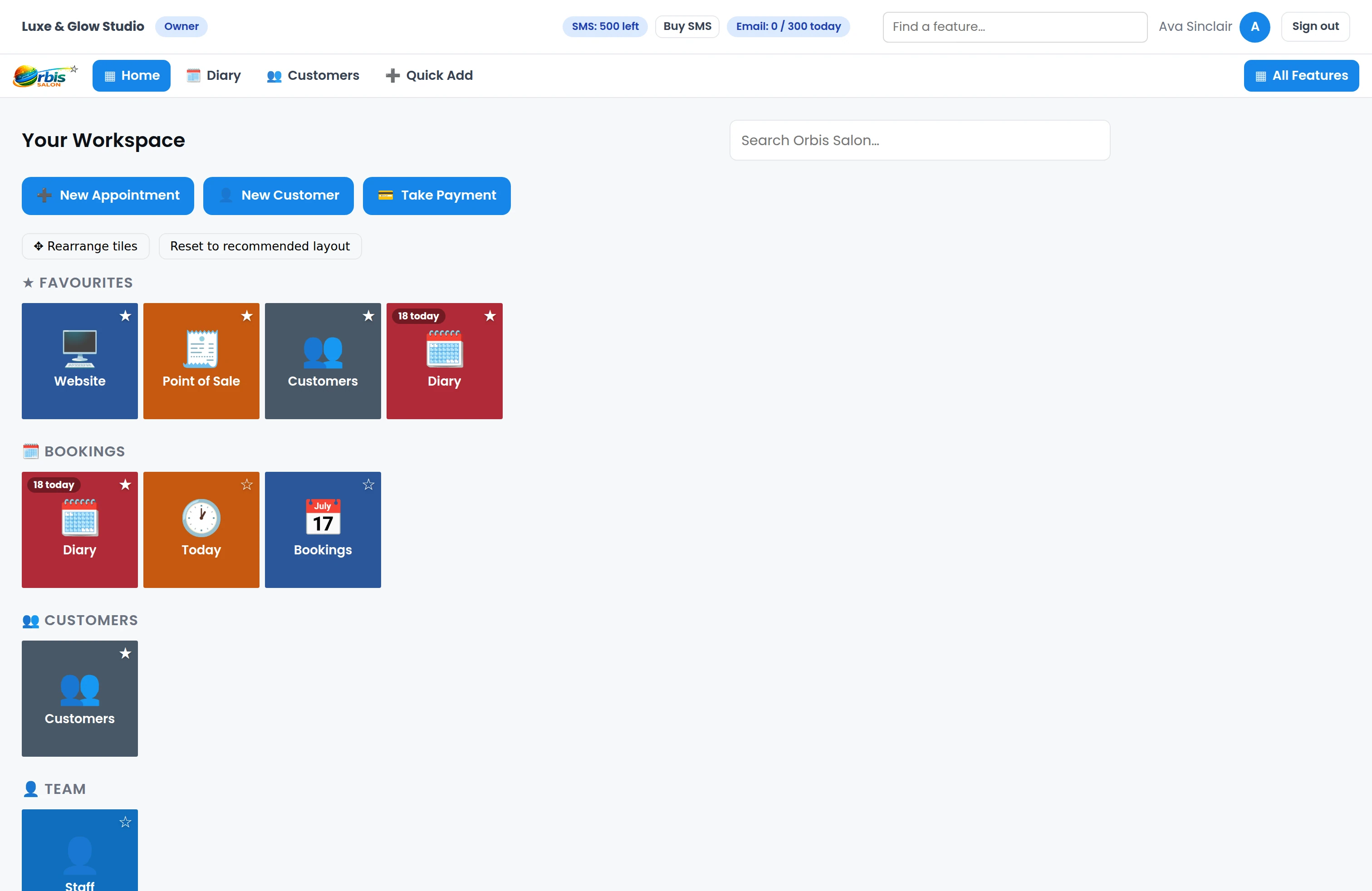
Keep your workspace focused on the tools you use every day — diary, customers, services, payments, staff and your website.
Everything most businesses need
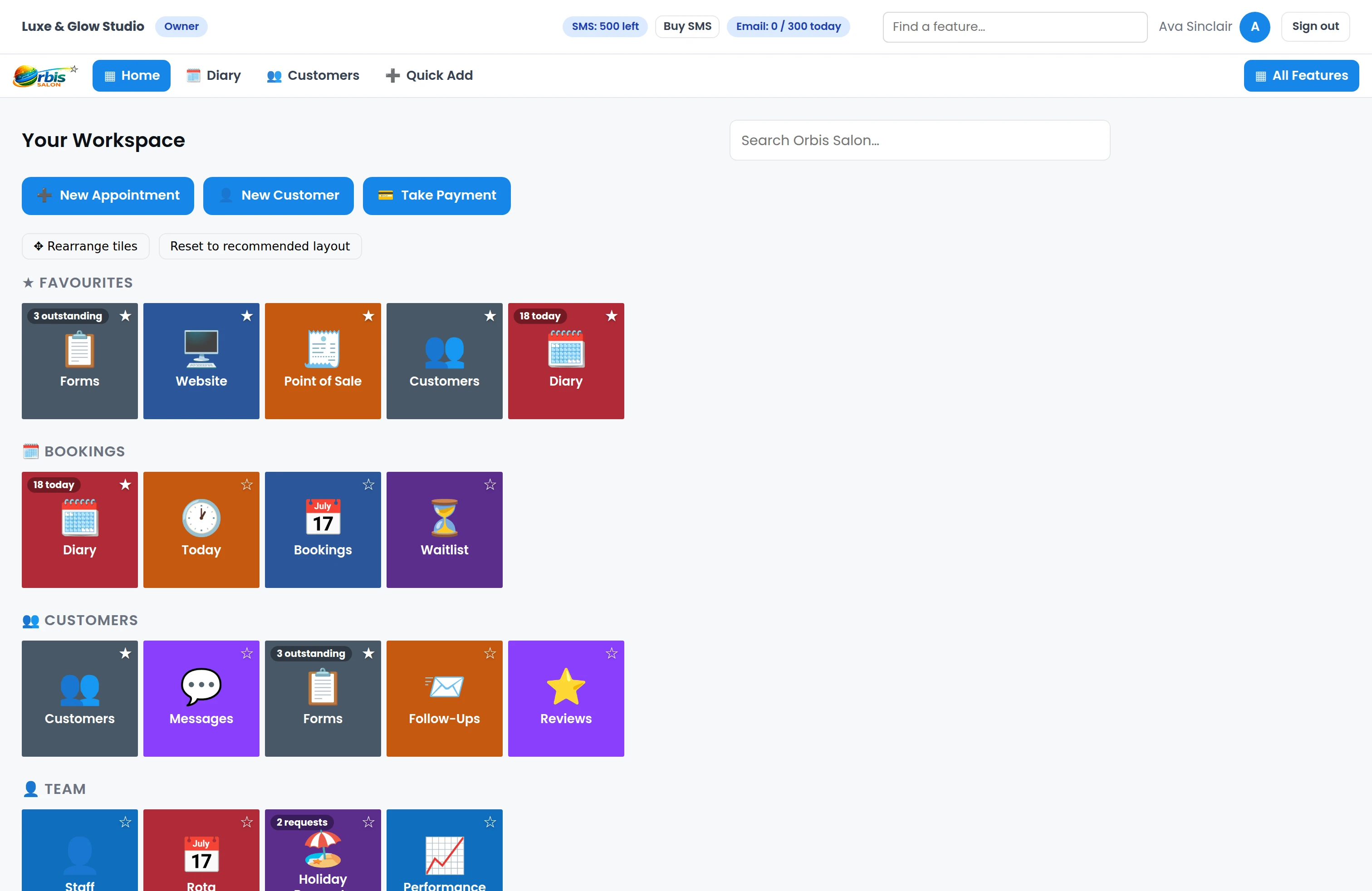
Add the day-to-day tools for staff, forms, follow-ups, marketing and reporting.
Unlock the full workspace
See the full set of Orbis Salon tools available on your plan — from marketing and website tools to Body Mapping, Local SEO and reporting.
Build your own workspace
Choose exactly which modules you want visible and keep the things you use most within easy reach.
 Enlarge
 Enlarge
 Enlarge
Nothing is removed. Nothing is lost.
Changing interface level simply changes what you see. Your data, website, automations and included features remain available — and every page still opens from a direct link. You can change level at any time.
Choose how you navigate
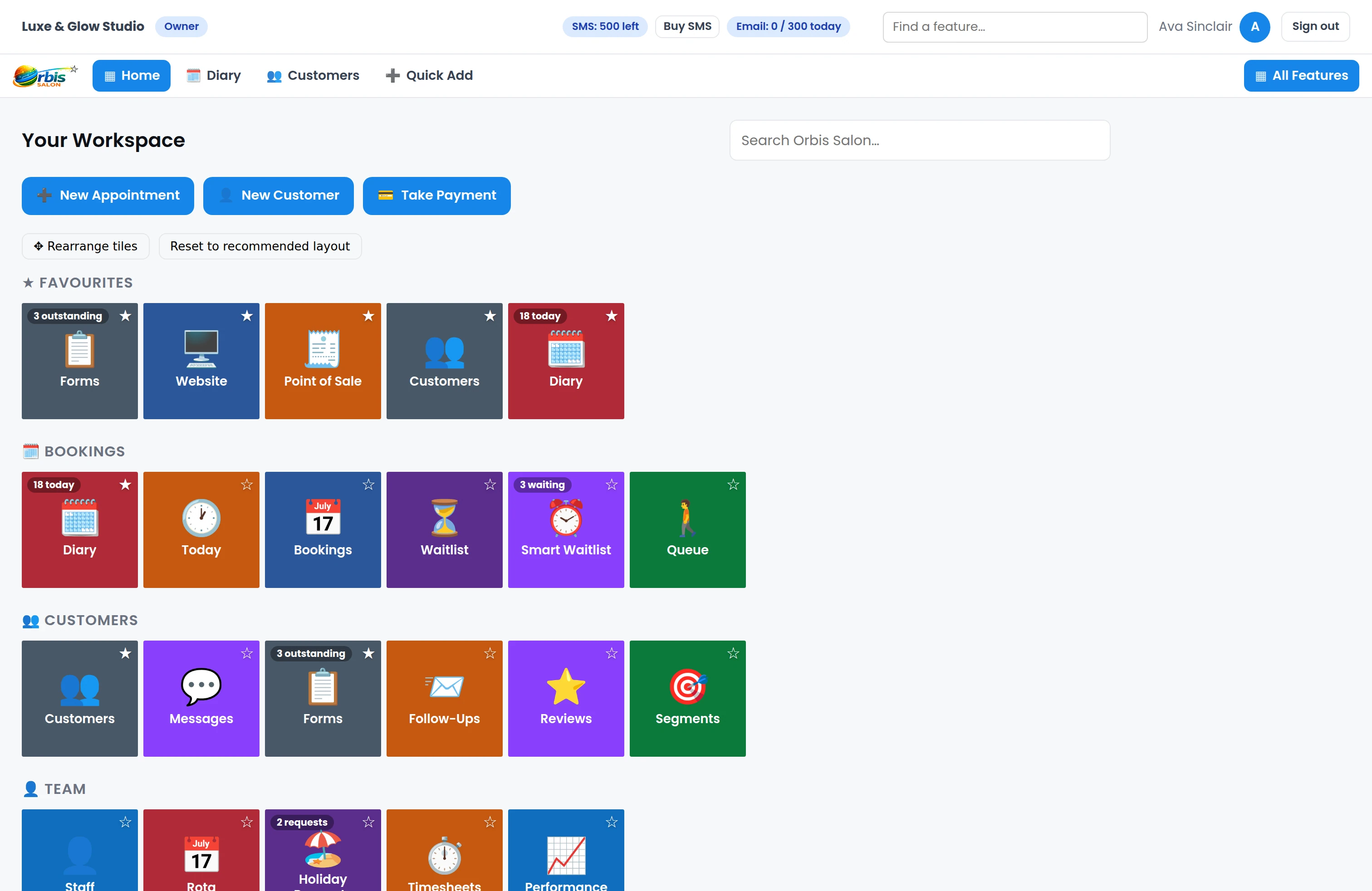
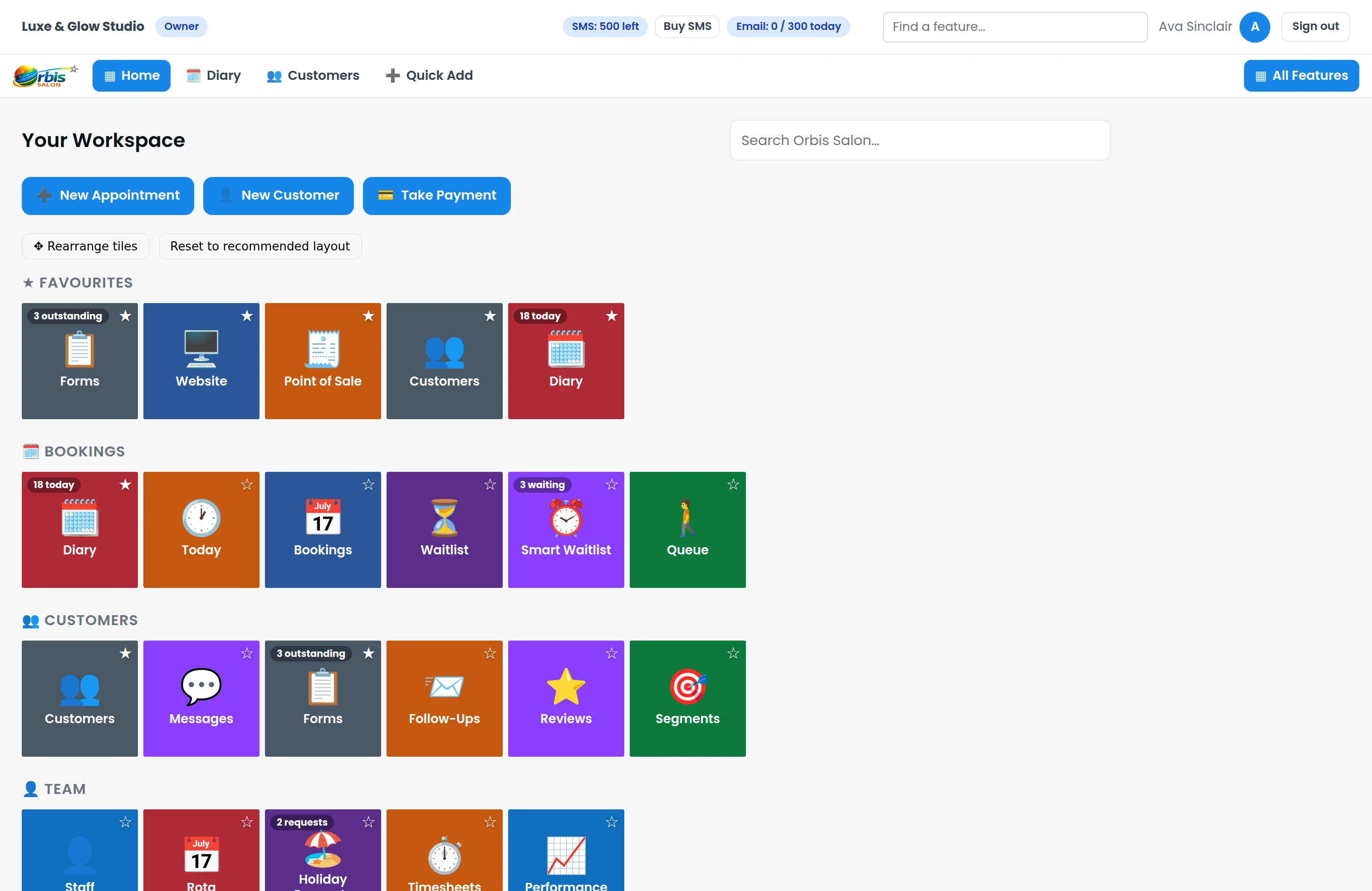
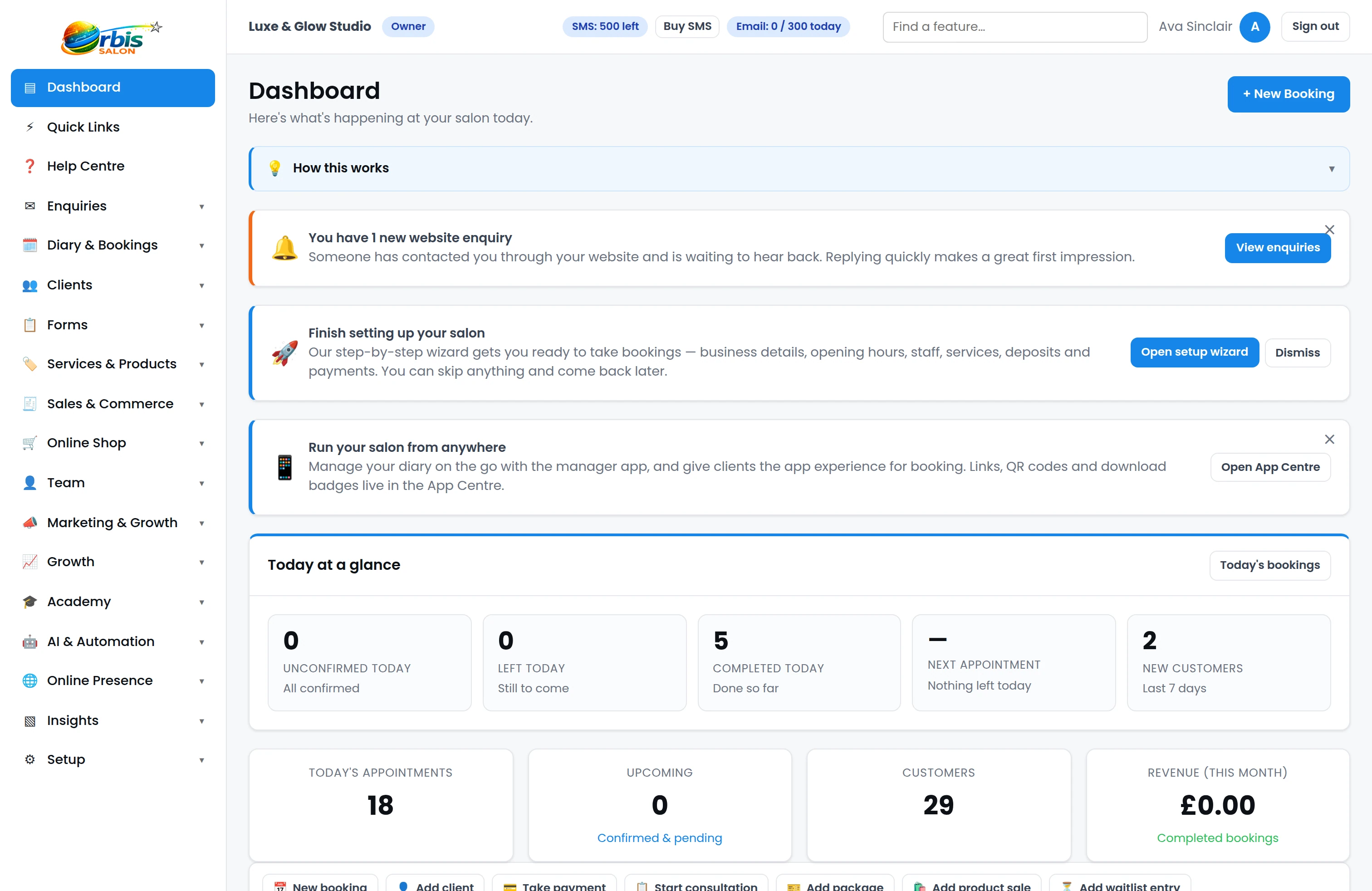
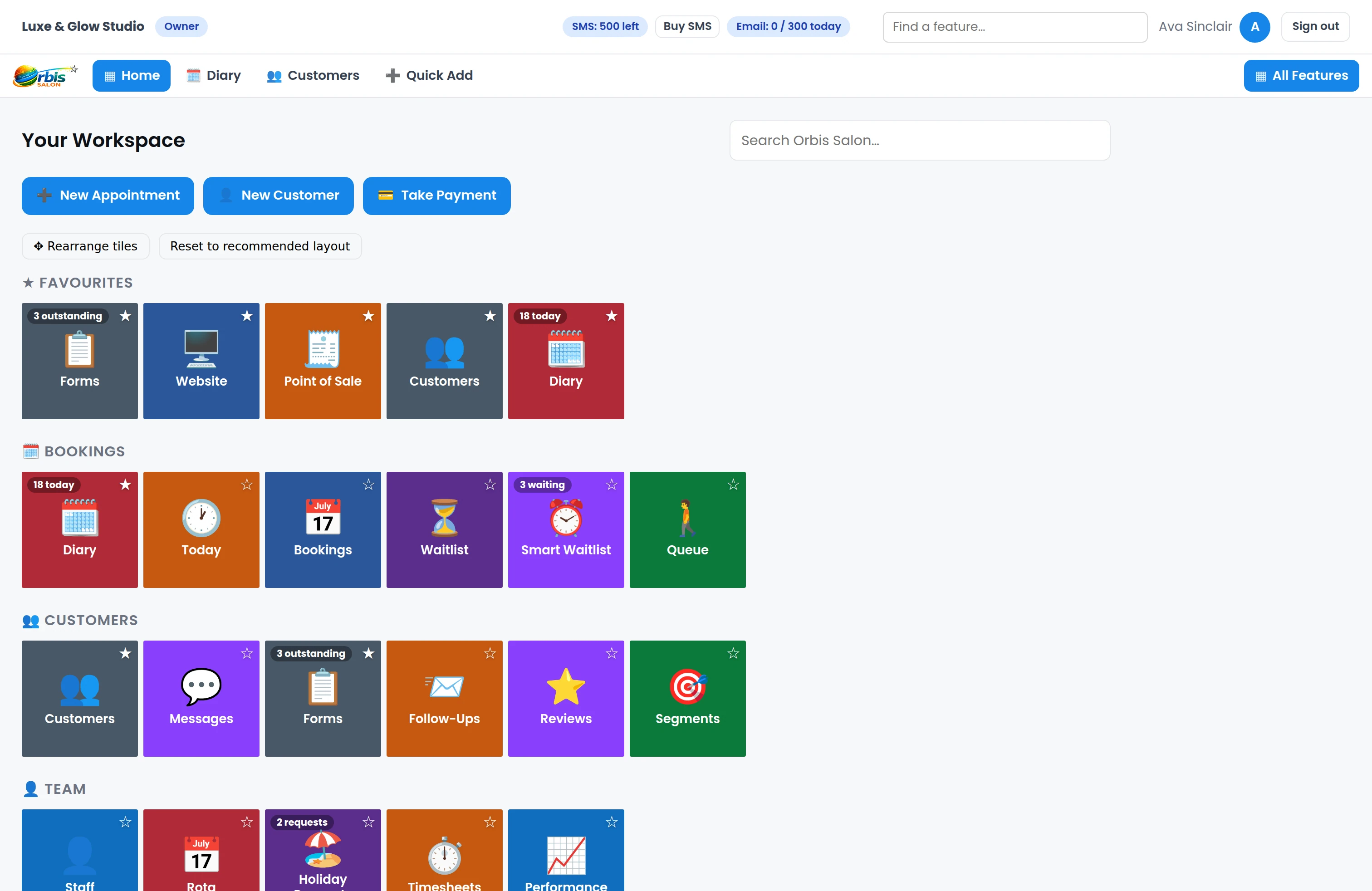
Tiles, Sidebar or Hybrid — switch between styles whenever you want from your settings.
Tiles
A visual workspace with large, easy-to-use feature tiles.
Sidebar
The traditional Orbis Salon navigation for users who prefer a conventional application layout.
Hybrid
Quick access to everyday tools plus a visual workspace for the rest.
 Enlarge
 Enlarge
 Enlarge
 Enlarge
Everything organised around the way you work
Tiles are grouped into clear sections — Bookings, Customers, Team, Services & Products and more — so everyday tasks are easy to find.
Bookings
- Diary
- Today
- Bookings
- Waitlist
Customers
- Customers
- Messages
- Forms
- Follow-Ups
- Reviews
Team
- Staff
- Rota
- Holiday Requests
- Timesheets
- Performance
Services & Products
- Services
- Categories
- Products
Keep your favourites close
Pin the tools you use most so Diary, Payments, Website or any other frequently used feature is easy to reach.
 Enlarge
 Clearer organisation
Core business tools such as Services, Categories and Products now sit together in their own area instead of being buried inside setup screens.
 Enlarge
 The workspace adapts to your business
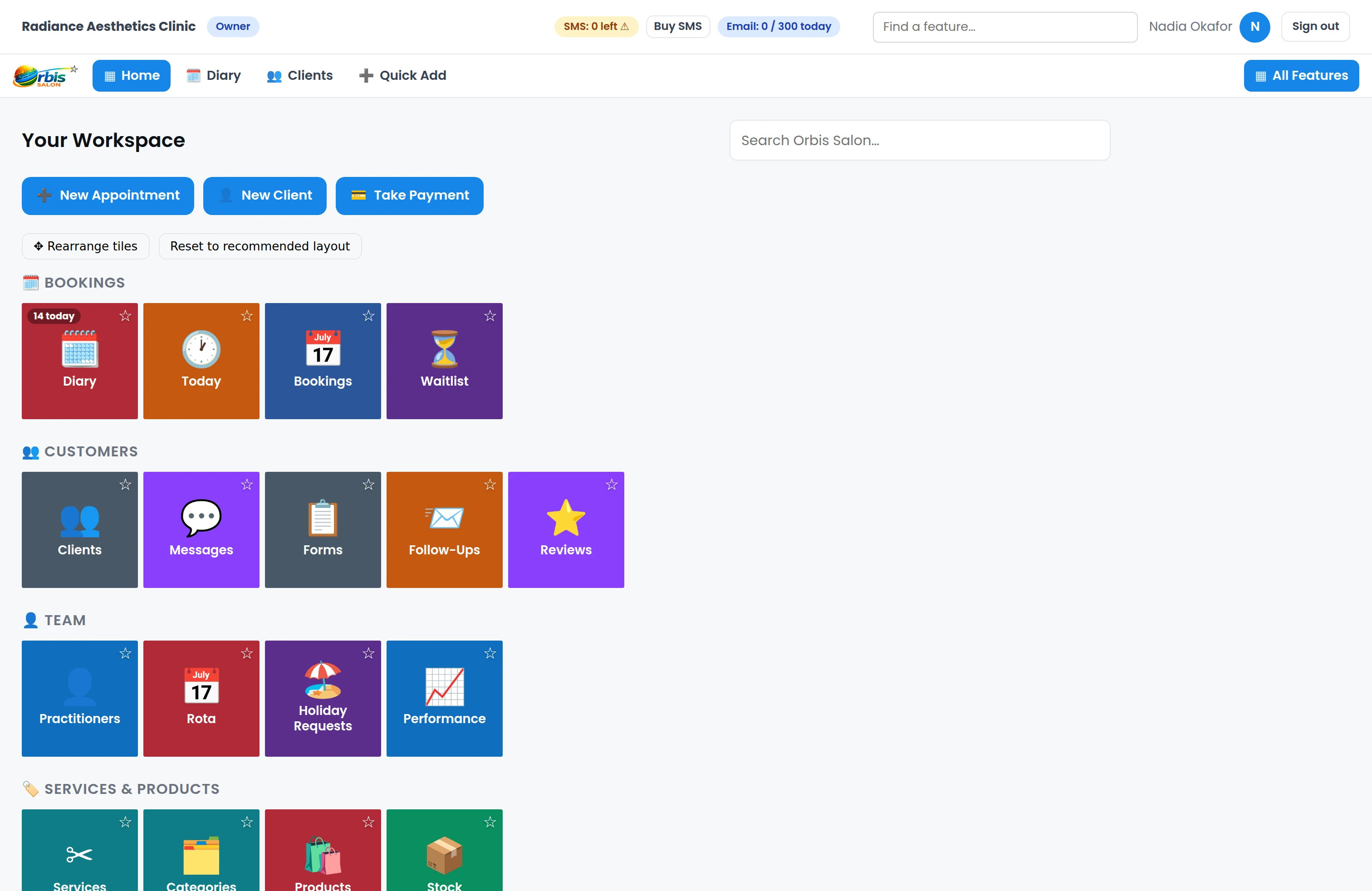
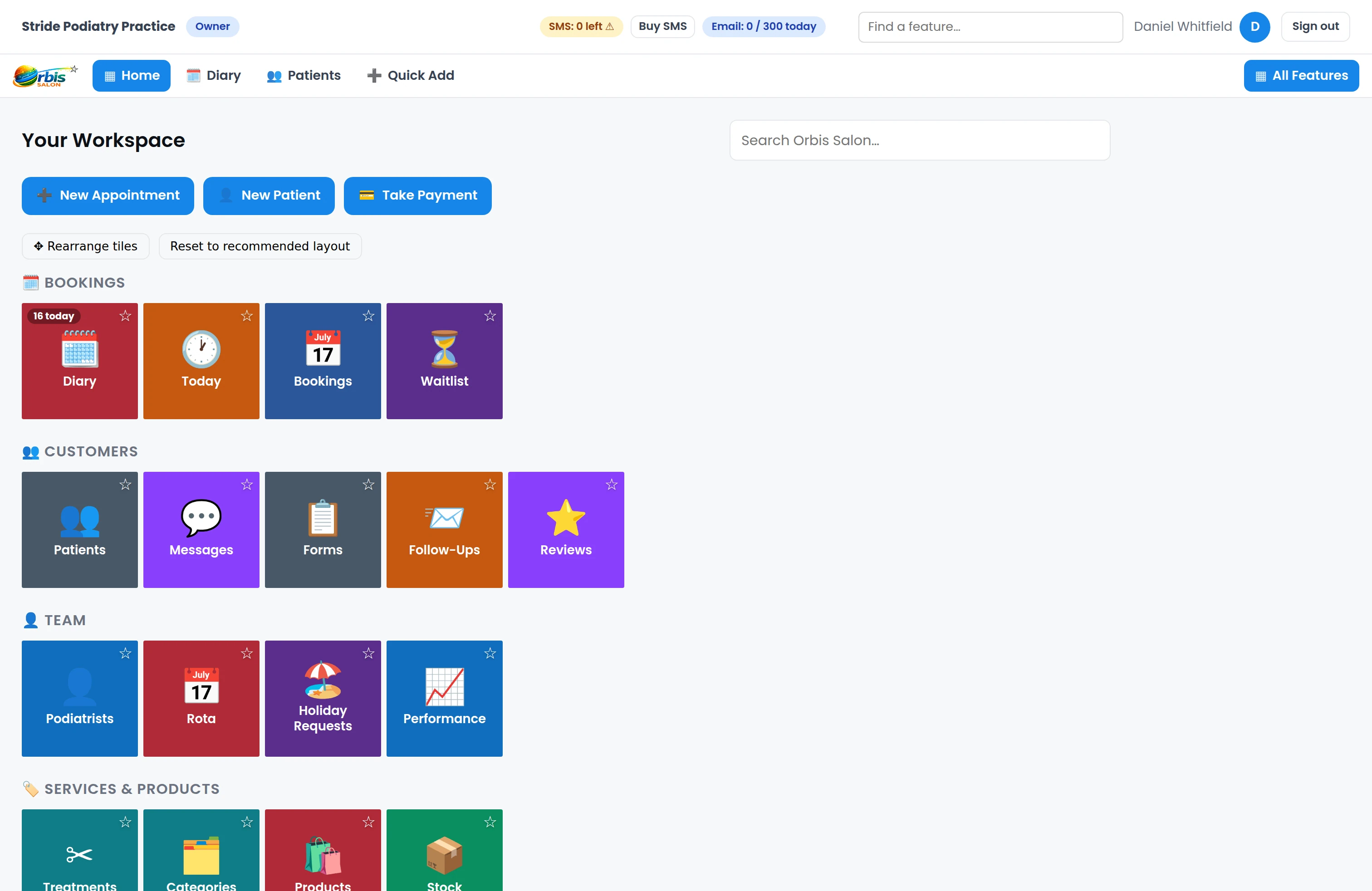
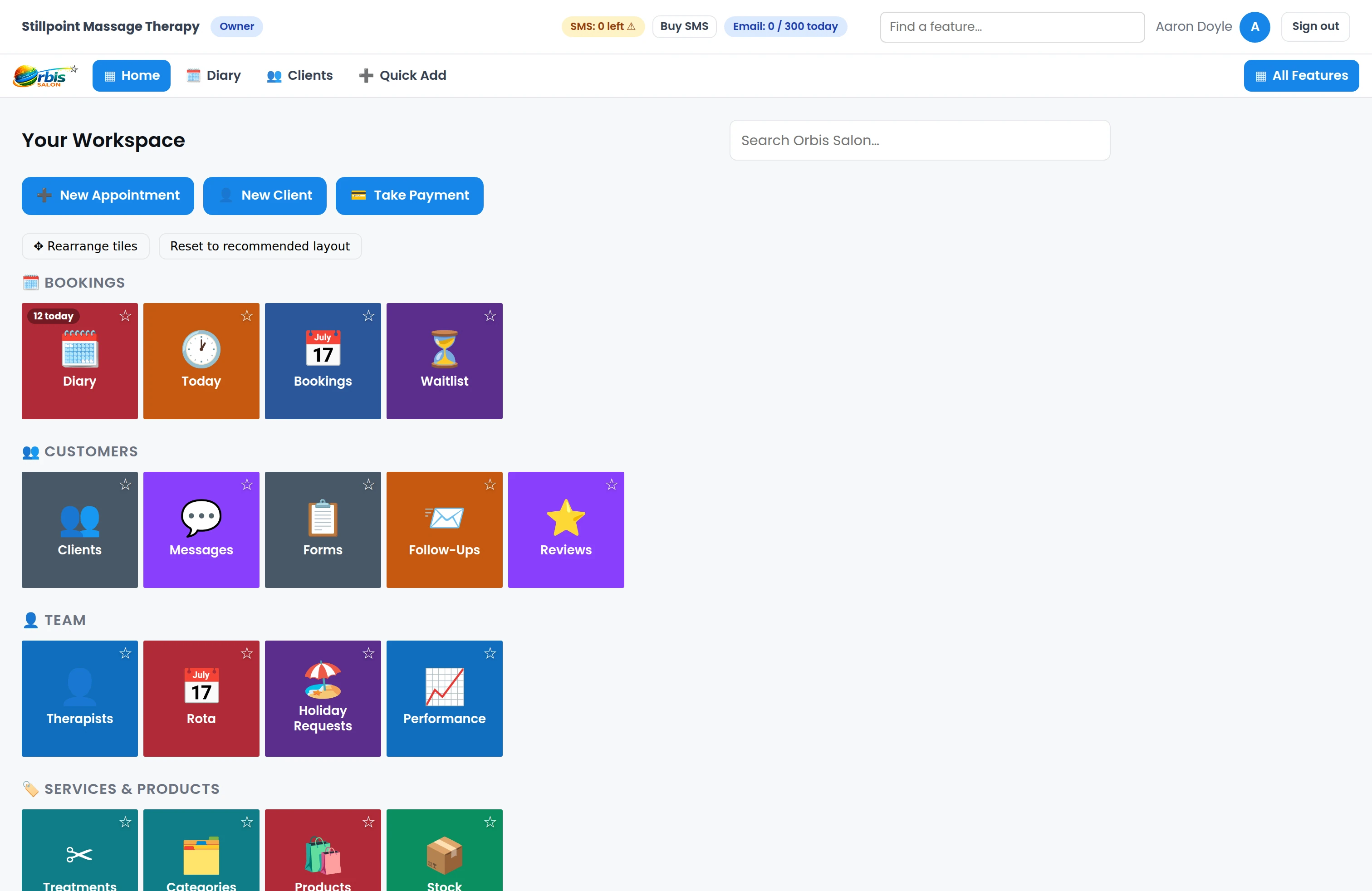
The same platform uses the right terminology and feature emphasis for your business type — and every business type can use any interface level. A hair salon sees Customers, Services and Stylists; an aesthetics clinic sees Clients, Treatments and Practitioners; a podiatry practice sees Patients and Podiatrists.
 Enlarge
Aesthetics clinics can keep Clients, Treatments, Forms, Body Mapping and Follow-Ups prominent. Aesthetics software →
 Enlarge
Podiatry practices can prioritise Patients, treatment records, Forms and the tools the practice uses most. Podiatry software →
 Enlarge
Massage businesses can keep appointments, clients, treatments and follow-ups prominent while hiding tools they don't need every day. Massage business software →
Easy on iPad. Simple on mobile too.
Large visual tiles make Orbis Salon especially easy to navigate on iPad and tablet — ideal when you're moving around the salon, clinic or treatment room.
On smaller screens, Tile Navigation adapts to a touch-friendly two-column layout with large controls, so the workspace stays clear on a phone as well.
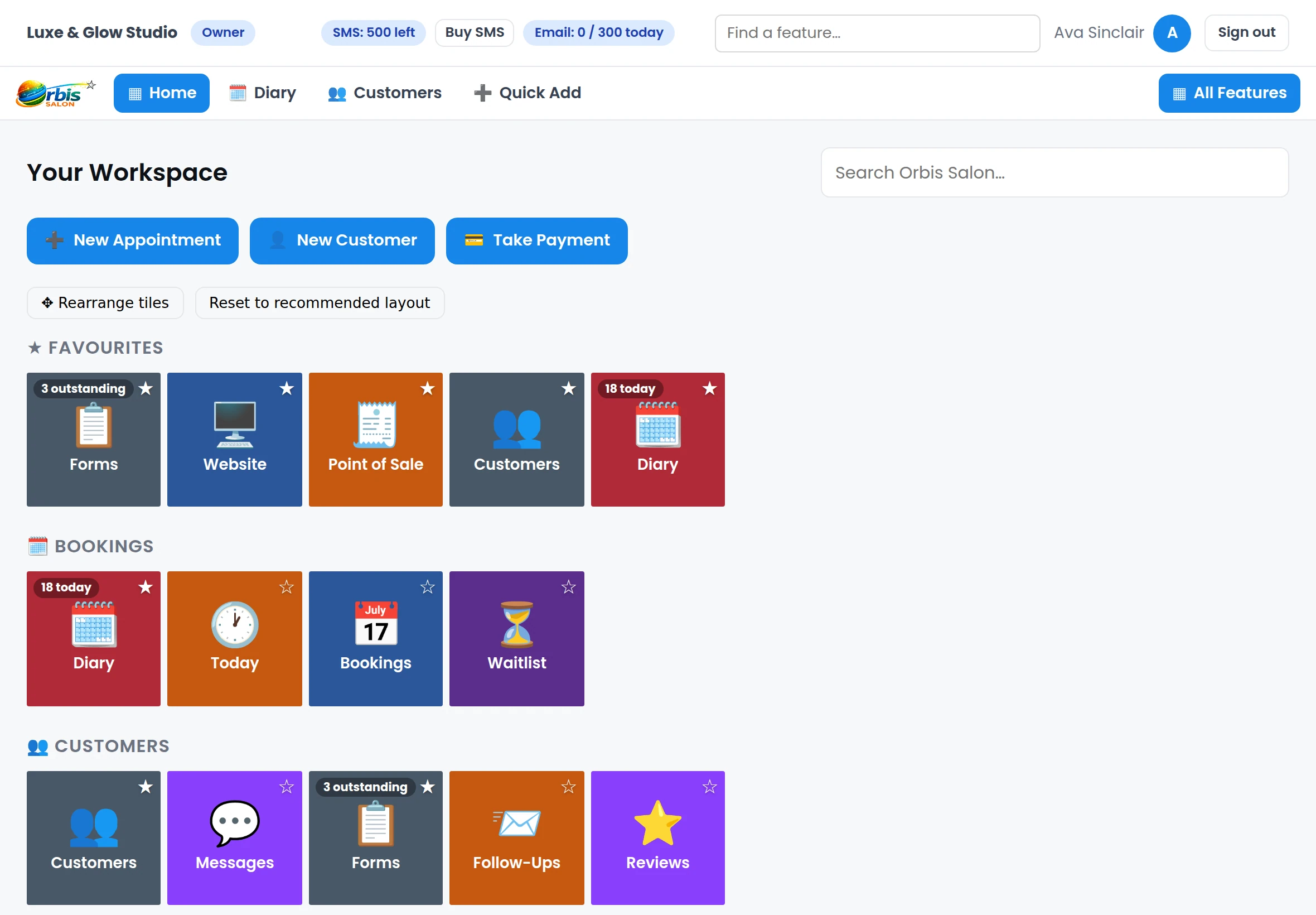
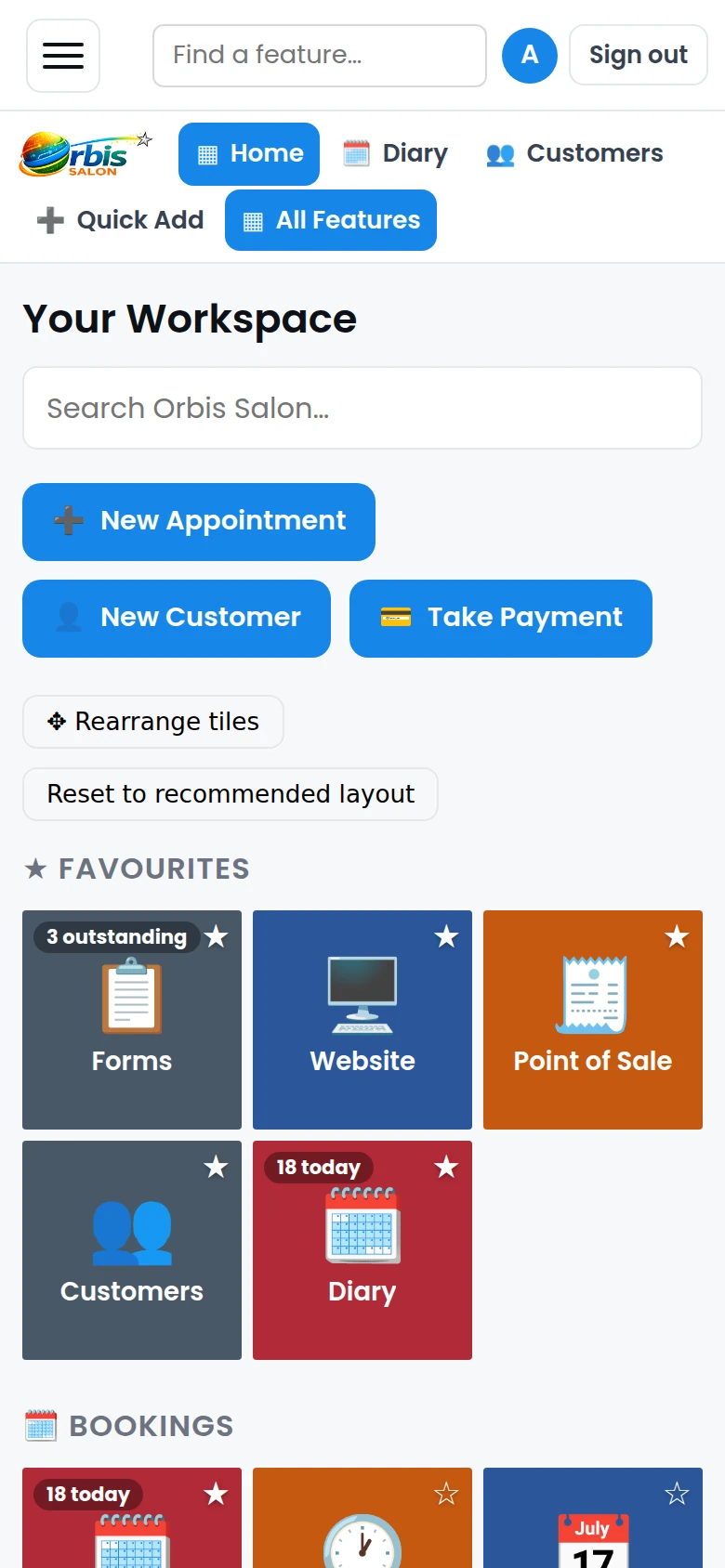
Only show what matters to you
With a Custom workspace, you choose which available modules appear. Hide Marketing, Stock or Local SEO if you don't use them every day — then bring them back whenever you need them.
Hidden features are never deleted — they're simply out of view until you want them. Team members can even choose their own interface level if you allow it.
Tile Navigation is how you reach everything else
However you set up your workspace, the whole platform stays within reach — see what's included in each plan on the pricing page.
Your workspace, your way
Start with the essentials and reveal more as your business grows. Try Orbis Salon free for 14 days — no contracts, no setup fees.
Start 14-day free trial →